Use Case: Marketing Image Generation at Scale
The Problem
Section titled “The Problem”Your marketing team needs dozens of image variations for campaigns — different sizes, styles, and messaging. Creating each manually is slow and expensive.
The Solution
Section titled “The Solution”Marketing brief (text) → AI generates image variations → Designer reviews and selects → Approved images → exported for campaignsHow to Build It
Section titled “How to Build It”Step 1: Browse Content Generation
Section titled “Step 1: Browse Content Generation”Go to /content-gen to see available generation workflows:
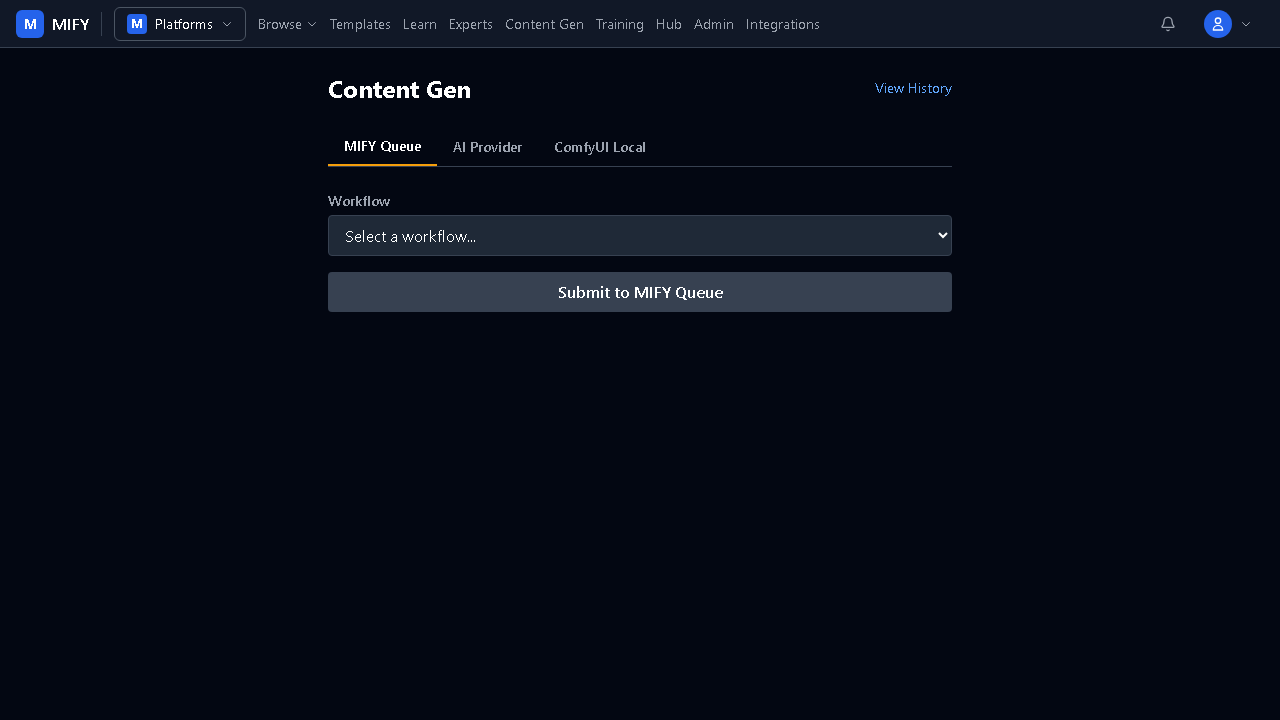
Step 2: Choose Your Generation Path
Section titled “Step 2: Choose Your Generation Path”| Need | Path | How |
|---|---|---|
| Quick social media images | AI Provider | OpenAI DALL-E or Cloudflare |
| High-quality product shots | MIFY Queue | ComfyUI SDXL/Flux workflows |
| Custom model styles | ComfyUI Local | Your own models + LoRA |
Step 3: Build a Batch Workflow
Section titled “Step 3: Build a Batch Workflow”For scale, create a workflow that generates multiple variations:
CSV with product names → Loop Map (iterate each product) → Chat Node (generate image prompt from product name) → Content Gen Queue (generate image) → Collect resultsStep 4: Review and Approve
Section titled “Step 4: Review and Approve”Use a Pause node for human review:
- Designer sees generated images in the Inbox
- Approve good ones, reject and regenerate others
- Approved images available in the run history
Step 5: Train Custom Models (Advanced)
Section titled “Step 5: Train Custom Models (Advanced)”For brand-consistent styles:
- Upload training images to a dataset at
/training/new - Select a training preset (LoRA fine-tuning)
- Train a custom model
- Use the trained model in future generation workflows
Results
Section titled “Results”- 10x faster than manual design for variations
- Consistent brand style with custom-trained models
- Human quality control via approval gates
- Scale — generate hundreds of variations from a single brief