For Digital Asset Sellers
What Can You Sell on MIFY?
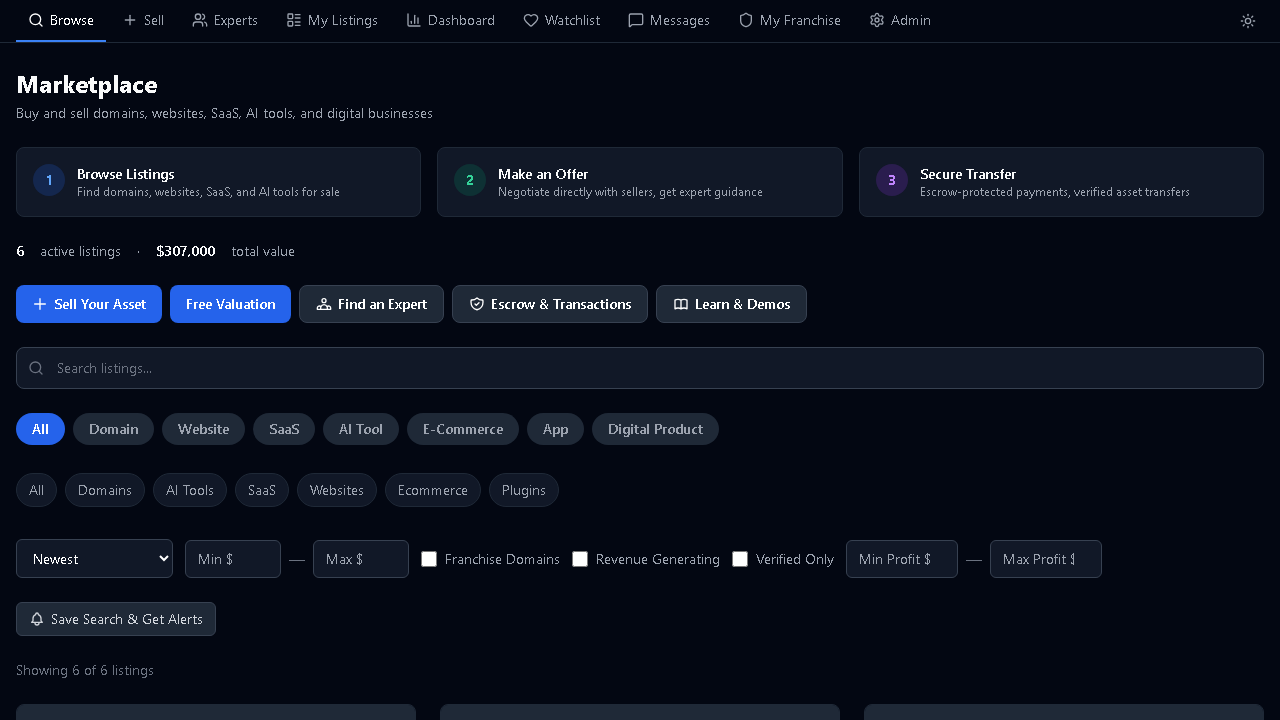
Section titled “What Can You Sell on MIFY?”The MIFY Marketplace is a platform for buying and selling digital assets — similar to Flippa, but integrated with the MIFY ecosystem. You can list:
- Websites and online businesses — content sites, SaaS products, e-commerce stores
- Domain names — premium domains with traffic and revenue history
- AI workflows and templates — pre-built automation solutions
- Franchise websites — established franchise sites with proven revenue
Why Sell on MIFY?
Section titled “Why Sell on MIFY?”Escrow-Protected Transactions
Section titled “Escrow-Protected Transactions”Every sale is protected by escrow:
- Buyer deposits funds
- You transfer the asset
- Buyer verifies the transfer
- Funds released to you
No risk of non-payment. Disputes are handled through the platform.
Built-In Verification
Section titled “Built-In Verification”Build trust with buyers through verification tiers:
| Tier | What’s Verified | Benefit |
|---|---|---|
| Basic | Email address | Can list assets |
| Enhanced | Identity + financial records | Trust badge on listings |
| Premium | Full business verification | Featured placement, broker access |
Valuation Tools
Section titled “Valuation Tools”Not sure what your asset is worth? Use the AI-powered valuation tool to get an estimate based on:
- Traffic data
- Revenue history
- Domain age
- Comparable sales
Data Connectors
Section titled “Data Connectors”Connect your data sources to verify claims automatically:
- Google Analytics for traffic verification
- Payment processor for revenue verification
- Domain registrar for ownership verification
Verified data builds buyer confidence and gets you better offers.
How to Sell
Section titled “How to Sell”1. Create a Listing
Section titled “1. Create a Listing”Go to /marketplace/listing/create and fill in:
- Description — what you’re selling and why it’s valuable
- Financials — monthly revenue, traffic, growth trends
- Asking price — your target price
- Supporting data — screenshots, analytics, revenue proof
2. Choose Your Sale Format
Section titled “2. Choose Your Sale Format”| Format | How It Works | Best For |
|---|---|---|
| Fixed price | Set your price, accept offers | Quick sales with clear value |
| English auction | Bidding goes up, highest wins | Competitive assets, maximize price |
| Dutch auction | Price drops until someone buys | Time-sensitive sales |
| Off-market | Private, invitation-only | High-value or confidential deals |
3. Manage Your Listing
Section titled “3. Manage Your Listing”From your Seller Dashboard (/marketplace/seller/dashboard):
- Track views and inquiries
- Respond to buyer questions
- Review and negotiate offers
- Monitor auction progress
4. Due Diligence
Section titled “4. Due Diligence”For serious buyers, you can open a Due Diligence Room:
- Upload detailed financial documents
- Share technical documentation
- Answer questions in a secure environment
- Control who has access
5. Complete the Sale
Section titled “5. Complete the Sale”Once you accept an offer:
- Buyer deposits to escrow
- You transfer the asset (domain, code, accounts)
- Buyer confirms receipt
- Escrow releases funds to your payout account
Listing Completeness
Section titled “Listing Completeness”MIFY has a completeness gate — your listing must meet minimum quality standards before it can be published:
- Description is filled in
- Financial data is provided
- At least one screenshot or proof of traffic
- Contact information is verified
This protects buyers and ensures your listing looks professional.
Broker Support
Section titled “Broker Support”For complex or high-value sales, you can work with a professional broker:
- Browse brokers at
/marketplace/brokers - Request broker assignment on your listing
- Brokers help with pricing, negotiation, and deal structure
- Commission is agreed upfront
Confidential Listings
Section titled “Confidential Listings”If you don’t want competitors or employees to know you’re selling:
- Create a confidential listing — details hidden until NDA is signed
- Interested buyers request access
- You approve or deny each request
- Full details revealed only after NDA acceptance
Seller Tools
Section titled “Seller Tools”| Tool | Location | Purpose |
|---|---|---|
| Create Listing | /marketplace/listing/create | Start selling |
| Seller Dashboard | /marketplace/seller/dashboard | Track all your listings |
| Valuation Tool | /marketplace/valuation | Estimate your asset’s value |
| Data Connectors | /marketplace/seller/connectors | Verify traffic and revenue |
| Seller Profile | /marketplace/seller/profile | Build your reputation |
| Sell Guide | /marketplace/sell/guide | Step-by-step selling guide |
| Legal Templates | /marketplace/legal-templates | Standard transaction documents |
| Transactions | /marketplace/my/transactions | Track active deals |
| Payouts | /settings/payouts | Manage your payout settings |
Communication
Section titled “Communication”- Marketplace Conversations at
/marketplace/my/conversations— negotiate with buyers in context - Messages at
/messages— direct messaging - Notifications at
/marketplace/my/notifications— get alerted on new offers, bids, and inquiries
Reviews and Reputation
Section titled “Reviews and Reputation”After transactions complete, both buyer and seller leave reviews:
- Star ratings build your seller trust score
- Written reviews appear on your seller profile
- High ratings improve your listing visibility
For Buyers Too
Section titled “For Buyers Too”If you’re also looking to buy:
- Saved Searches at
/marketplace/my/saved-searches— get notified when new listings match your criteria - Watchlist at
/marketplace/my/watchlist— track listings you’re interested in - Collections at
/marketplace/buy/[category]— browse curated listing groups - Comparison Tool at
/marketplace/compare— side-by-side listing analysis
Referral Program
Section titled “Referral Program”Earn credits by referring new sellers or buyers to the marketplace. Track at /marketplace/referral.
Getting Started
Section titled “Getting Started”- Get verified — verify your email at minimum. Enhanced verification gets a trust badge.
- Use the valuation tool — understand what your asset is worth
- Create your listing — be thorough with description and financials
- Connect data sources — verified data gets better offers
- Respond quickly — buyer inquiries have a shelf life
- Use escrow — always transact through the platform for protection