Course 1: MIFY Fundamentals — Chapter 5
Chapter 5: Scheduling and Automation
Section titled “Chapter 5: Scheduling and Automation”Make your workflows run automatically — on a schedule, on a trigger, or in response to events.
What You’ll Learn
Section titled “What You’ll Learn”- How to run workflows on a schedule
- How to trigger workflows from external events
- How to monitor automated workflows
Trigger Types
Section titled “Trigger Types”Every workflow starts with a trigger:
| Trigger | How It Starts | Use Case |
|---|---|---|
| Manual | You click “Run” | Testing, one-off tasks |
| Schedule | Runs at set times (cron) | Daily reports, weekly summaries |
| Webhook | Incoming HTTP request | External service sends data |
| Event | System event occurs | React to changes automatically |
Setting Up a Schedule
Section titled “Setting Up a Schedule”- Open your workflow on the canvas
- Replace the Manual Trigger with a Schedule trigger
- Configure the schedule:
- Every day at 9am:
0 9 * * * - Every hour:
0 * * * * - Every Monday at 8am:
0 8 * * 1
- Every day at 9am:
- Save the workflow
The workflow will now run automatically at the configured times.
Monitoring Automated Workflows
Section titled “Monitoring Automated Workflows”Check on your automated workflows:
- Runs page at
/runs— see all executions with status
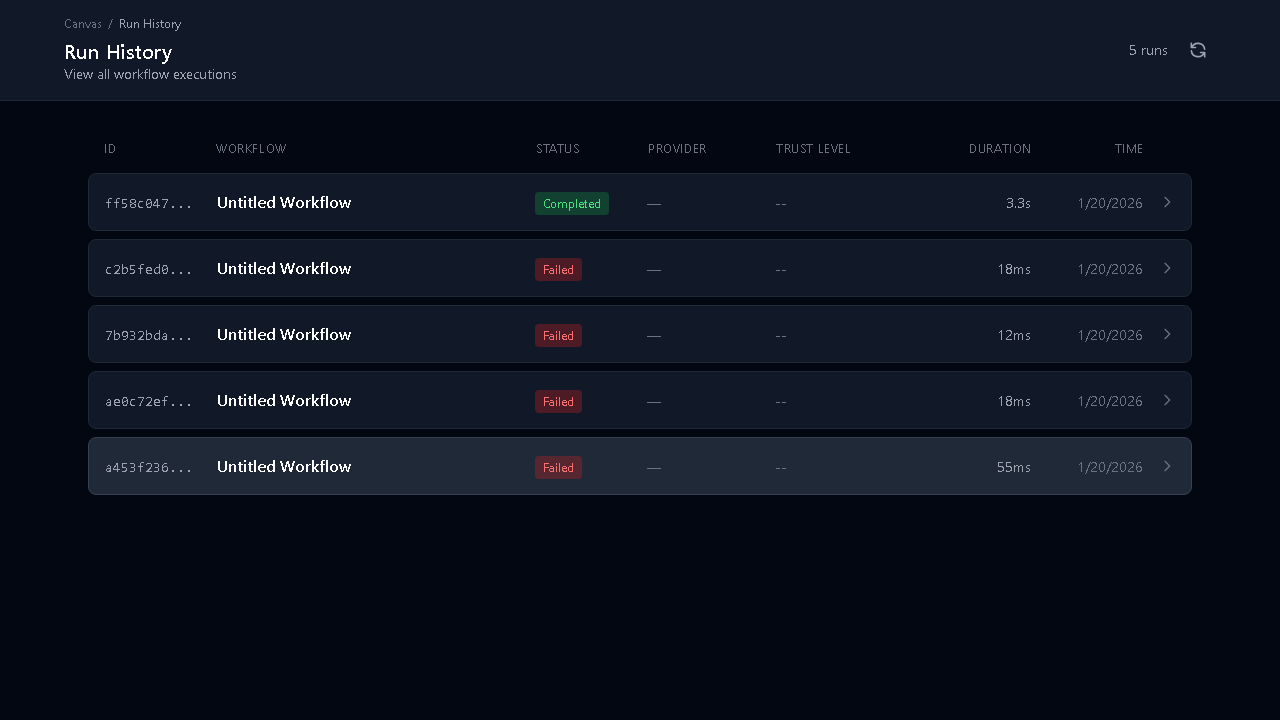
- Notifications — get alerts when workflows complete or fail
- Admin Analytics — see usage patterns across your team
Exercise
Section titled “Exercise”- Take the workflow you built in Chapter 3
- Change the trigger from Manual to Schedule
- Set it to run every 5 minutes (for testing):
*/5 * * * * - Wait for it to run automatically
- Check the Runs page to see the automatic executions
- Change the trigger back to Manual when done testing
Course 1 Knowledge Check
Section titled “Course 1 Knowledge Check”Test what you’ve learned:
-
What is the fastest way to start using MIFY?
- Answer: Pick a template from the Solutions Library and click “Use Template”
-
What is a node?
- Answer: One step in a workflow — it takes input, does something, and produces output
-
How do you add AI to a workflow?
- Answer: Drag a Chat, Embed, or Image node from the AI/LLM category and connect it
-
What does HITL mean?
- Answer: Human-in-the-Loop — a pause point where a person reviews and approves before continuing
-
What are the three provider tiers?
- Answer: Fast (cheap/quick), Balanced (middle ground), Accurate (best quality)
-
Can you run workflows without writing code?
- Answer: Yes — everything can be done with drag-and-drop on the visual canvas
What’s Next?
Section titled “What’s Next?”You’ve completed MIFY Fundamentals. You can now:
- Build workflows from templates or from scratch
- Use AI nodes with different providers
- Add human approval gates
- Schedule automated workflows
Explore more:
- Content Generation — create images and videos
- Marketplace — browse and buy solutions
- Knowledge Bases — upload documents for AI search
- Course 2: Building with MIFY — for developers who want API access and plugins
Previous: Chapter 4 — Human Approval Gates | Back to Courses